For vocational & applied undergraduate programs

Teach AI content creation
as a process, not a prompt.

FINDSTRUE is a canvas-based training platform for AI comic drama, short video and visual creation. Students connect prompts, references, images and video nodes into a real workflow — and submit the whole canvas, so you can grade how they thought, not just what they rendered.

16-week semester course 6 program tracks Browser-based · no client install Cloud API or on-campus GPU Built-in AI content labeling
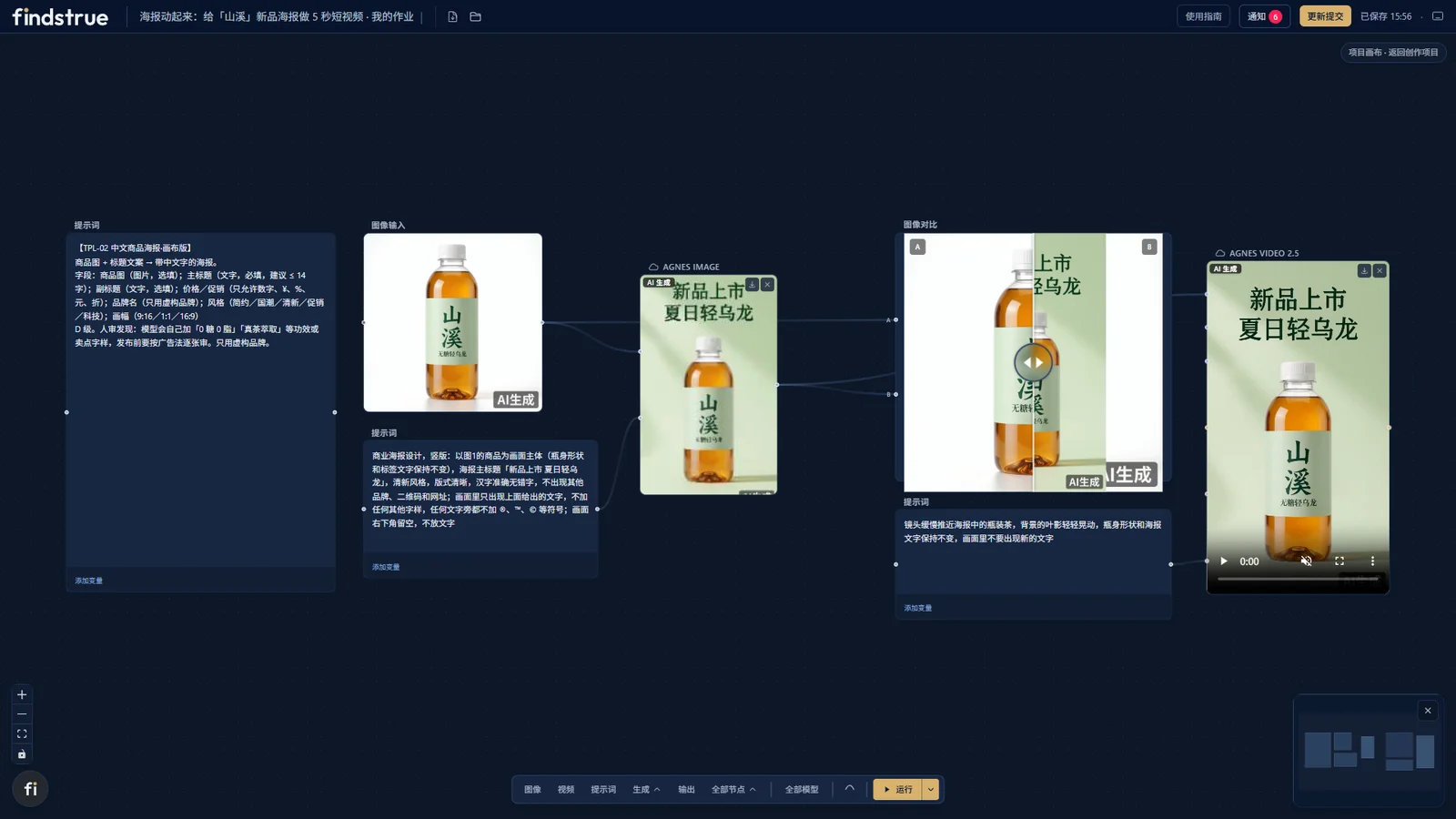
findstrue · student canvas — poster-to-video assignment
FINDSTRUE student canvas: prompt, reference image, image generation, A/B comparison and image-to-video nodes connected into one workflow
The problem

Most AI courses stall by week three.

Not because students lack interest — because the course has no way to see, structure or assess the work.

⟳

Tools change every month

A course built on one tool's buttons is out of date before the semester ends. What lasts is the workflow: brief → reference → generation → comparison → revision.

▦

Students submit a final render

You receive a polished image. You cannot tell whether the student made a sequence of deliberate decisions — or got lucky on attempt forty.

◑

The process is invisible

With nothing to review except the result, feedback turns into a debate about taste instead of a lesson about method.

How a class runs

One assignment, four steps, everything on the record.

1

Teacher sets the brief

Pick the class, write the assignment, and — when needed — attach a canvas template and a course workflow so students start from a known structure.

Teacher assignment panel with class, task description and attached canvas template
2

Students build on the canvas

Connect prompt, reference, image and video nodes. Run two versions of the same brief and compare them side by side before choosing.

Student canvas with connected generation nodes
3

Students submit the work

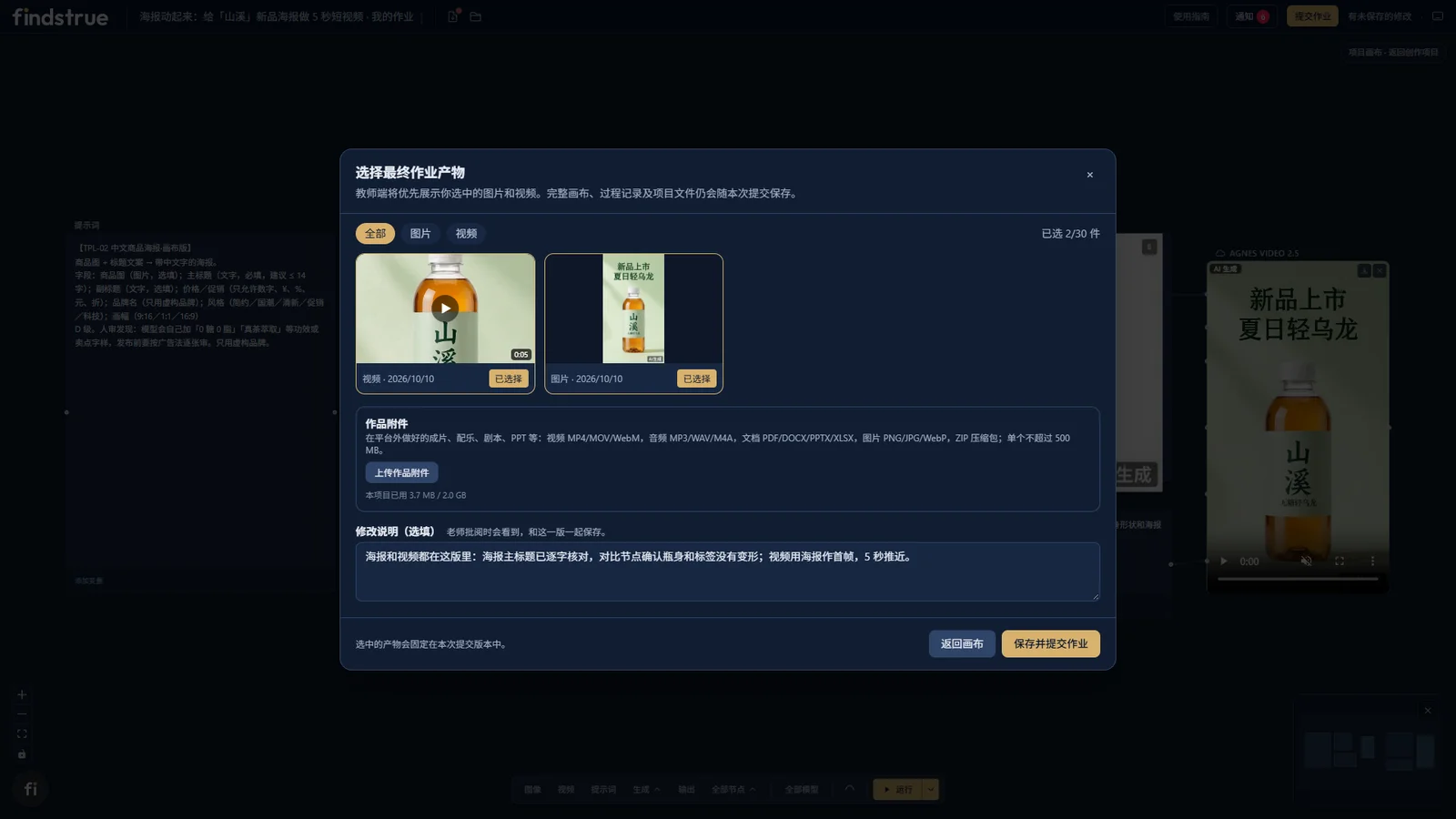
The final image or video is submitted together with the canvas project that produced it. One submission, two artifacts.

Student submission view with final asset and canvas project
4

Teacher reviews the project

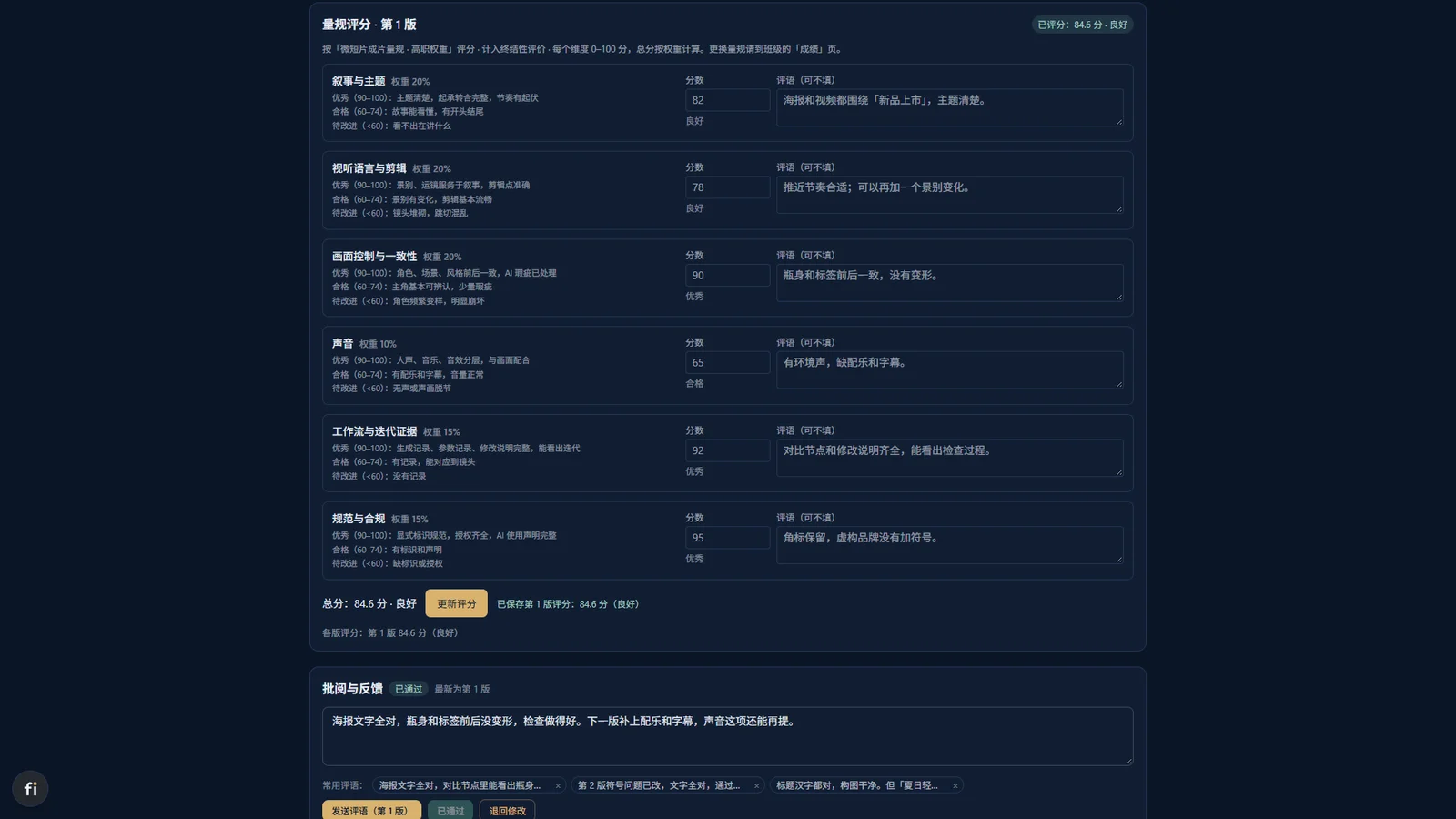
Open the canvas, walk the inputs and outputs of every node, and give feedback the student can act on — then they keep working in the same project.

Teacher review view of a student canvas project
Platform

Six things the platform takes care of.

Infinite canvas

Prompts, references, images and video as connected nodes. Multiple versions of the same brief sit side by side for comparison.

ComfyUI in class

The platform connects from the browser to a student's own ComfyUI, so school-approved workflows run without consuming platform quota.

Class management

Classes, assignments, rubrics, learning records and a student work wall — one console for the whole course.

Generation quota

Quota is allocated per student and adjustable by the administrator, with spend reporting by amount.

AI content labeling

Generated images and videos carry an "AI-generated" badge by default, with provenance written into the file.

Templates & demo cases

Every template states its input and its output. Demo cases show what a course task can actually produce.

Curriculum

A 16-week course you can run this semester.

"AI Short-Form Video Creation (including AI comic drama)" is delivered in four stages. Course content can be adapted under a co-development agreement.

01
Foundations

Get an idea onto the canvas and produce a first result.

02
Workflow experiments

Understand what each input does to the output — structured comparison tasks.

03
Guided projects

Brief-driven production: storyboard, consistency, revision loops.

04
Portfolio & review

Finish, present and defend the work — process included.

TRACK C1AI short drama & comic drama

Narrative short-form video with AI-generated visuals.

TRACK C2New media marketing

Product visuals, posters and short video for campaigns.

TRACK C3AI agent office automation

Agent workflows for content and document production.

TRACK C4General AIGC

A full-track introduction for non-specialist programs.

Program directions

One platform, six majors, same classroom backbone.

All six directions share the platform's accounts, classes, assignments and canvas. Course tasks are adapted per major.

01 · AnimeAI comic drama creation

Character & scene bibles, storyboard samples, comic drama shorts.

02 · Digital mediaAIGC creation & workflows

Multi-model projects, reusable image workflows, process portfolios.

03 · E-commerceAI product content

Product image sets, campaign visual proposals, short video packs.

04 · Visual communicationBrand visual creation

Key visual systems, poster series, animated brand assets.

05 · Film & mediaAI image narrative

Shot bibles, concept trailers, short film proposals.

06 · Culture & tourismCultural creative content

Heritage-themed visuals, exhibition concepts, destination shorts.

Demo cases

What a course task actually produces.

Official demo cases produced with the platform, following the same brief structure students receive. All visuals are AI-generated and labeled.

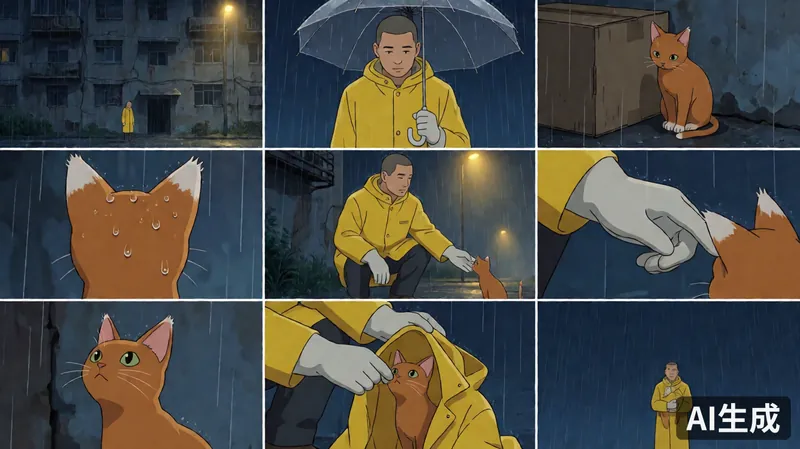
Still frame from AI short film The Cat in the Rain: an orange cat in a cardboard box on a flooded street
Track C1 · 25 shots"The Cat in the Rain" — AI short film

Master scene first, then keyframes derived by changing camera position, under a continuity rule set.

25 shots · silent excerpts
Still frame from campus anime short drama Seat by the Window
Track C1 · 46 s"Seat by the Window" — campus anime short drama

A complete episode-length piece produced through the same canvas workflow students use.

46 seconds
Shanxi tea bottle product poster generated on the platform
Track C2 · Fictional brand"Shanxi" tea — brand & product content

Logo drafts, key visuals, product posters and a set of short product videos for a fictional teaching brand — showing the platform is not limited to animation majors.

Logo · poster · video
3x3 storyboard grid generated from a plot synopsis
Template · Storyboard3×3 storyboard from a plot synopsis

One of the course templates: text in, storyboard grid out. Every template states its input and output, so students always know what they are building toward.

Template TPL-10
Lab setup

Deploy the way your campus procurement works.

The platform runs in the browser. Models come from the cloud, your own keys, or your own GPUs.

30–60seats per teaching class
6program directions on one backbone
16weeks of courseware included
2ways to run models: cloud or on-campus GPU
For schools that prefer not to open vendor accounts Full-service

The school contracts with us; we contract with the model providers. API keys stay inside our model gateway and never enter the campus network.

For schools that already have vendor accounts School-owned keys

The school pays the model provider directly with its own keys; the platform usage fee is contracted separately.

For schools with GPU resources On-campus GPU

Open-source models run on the school's own GPU nodes, centrally managed. No per-generation model fees.

FAQ

Questions we get from program directors.

Our school has no GPUs. Can we still run the course?
Yes. The platform connects to cloud models by default. You can also route through our model gateway, or connect your own provider keys. On-campus GPU is an option, not a requirement.
Where is the platform installed?
It is browser-based (B/S architecture). It can be deployed on campus if required, or you can start with a cloud trial environment. The trial environment is for demonstration only — do not enter real student personal data.
How is generation quota managed?
Quota is allocated per generation count and adjustable by the administrator, with financial reporting by amount.
Do generated works carry AI labels?
Yes. Images and videos generated on the platform automatically carry an "AI-generated" badge, and an implicit provenance mark is written into the file.
Is there ready-made courseware?
Yes — four course tracks and a 16-week semester course. A sample chapter (W01) is available on request, and content can be adapted under a co-development agreement.
Can the demo case models be used commercially?
Official demo cases only use models with commercial-use licenses, and every model and license is registered case by case.
Can students run open-source models on their own computers?
Yes. The platform connects from the browser directly to a student's local ComfyUI, and those runs do not consume platform quota.
Get started

Request a trial account for your program.

Tell us your major, class size and semester timeline. We will set up a trial environment and walk your team through one full assignment cycle.

ContactManager Li — FINDSTRUE, Guangzhou LEEQU Electronics Co., Ltd.
Phone / WhatsApp+86 180 2731 2168

This opens your email client with the message prepared — no data is stored on this page.